
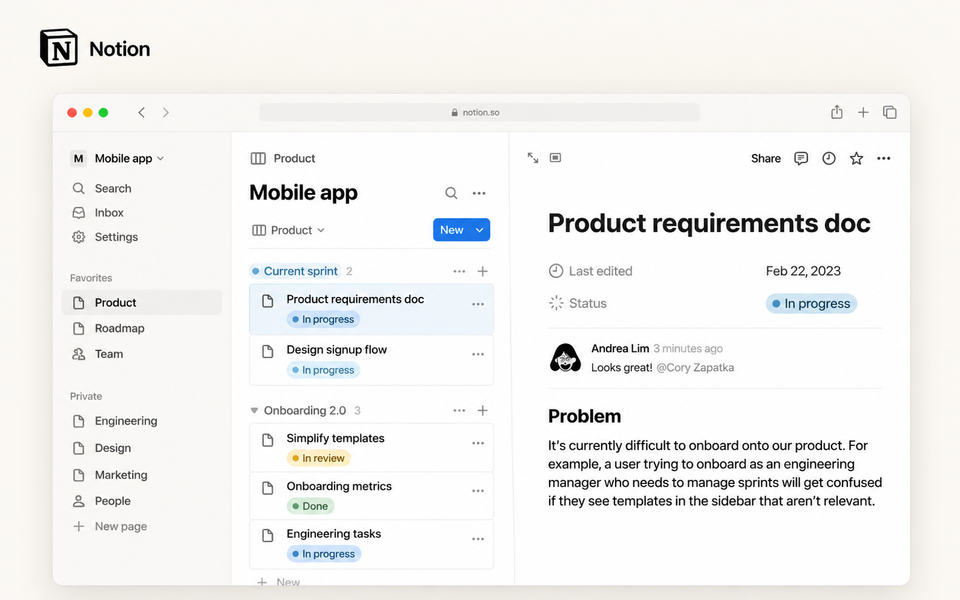
When useful work is spread across documents, folders, spreadsheets, messages and browser tabs, finding the current version can become a job in itself. Notion brings documents, project information and structured data into one workspace, which may be useful if you want fewer places to look without commissioning a bespoke system.
What it can help with
Notion may be useful when you need to:
- keep briefs, meeting notes, plans and reusable templates together;
- track projects, tasks, contacts, content or other repeatable information;
- create a shared knowledge base or internal wiki;
- give clients, contractors or colleagues controlled access to selected work; or
- see the same information in different ways without maintaining several separate trackers.
Who it may suit
It may suit consultants, freelancers, founders and small teams that want an adaptable system and are prepared to establish simple rules for naming, ownership and maintenance. A more specialist tool may be a better fit if you need accounting, advanced CRM reporting, regulated records management or highly structured project controls.
How it works
Notion combines pages and databases. Pages hold documents, notes, briefs and detailed records. Databases organise repeatable items using properties, while views let you display the same information as a table, board, calendar, timeline, list or gallery. Sharing controls let you give different people or teamspaces different levels of access.
Notion AI can help with drafting, search and other workspace tasks. Business and Enterprise plans include core features such as Notion Agent, AI Meeting Notes and Enterprise Search; Free and Plus provide limited trial use. AI Meeting Notes is currently described as beta.
Cost and access
On 3 September 2026, Notion’s UK pricing page listed Free at £0, Plus at £8.50 and Business at £16.50 per member/month on monthly billing. Enterprise pricing is supplied after enquiry. Check current prices, plan limits and AI terms before committing.
What to check before committing
Start with one practical purpose rather than recreating every existing system. Check whether Notion will replace another tool or simply duplicate it, who will own and maintain the information, and what clients or contractors can access.
Review current limits for uploads, guests, page history, permissions, integrations and AI. If you will store confidential or important business information, also check security, privacy, retention, backup and export requirements against your own obligations. Notion supports exports, but some workspace settings and export formats have limitations.
Inspiration Space note: Notion is powerful when it becomes a place where work can be found and reused — not another beautifully designed digital attic. The best systems are usually built around a few real working moments: starting a project, recording a decision, finding a useful template, tracking what is live and closing the loop when something is finished.
Next action
Choose one job you want the workspace to do, then compare the current plans and limits before moving important work into it.
CTA: View Notion plans and pricing — Notion UK pricing