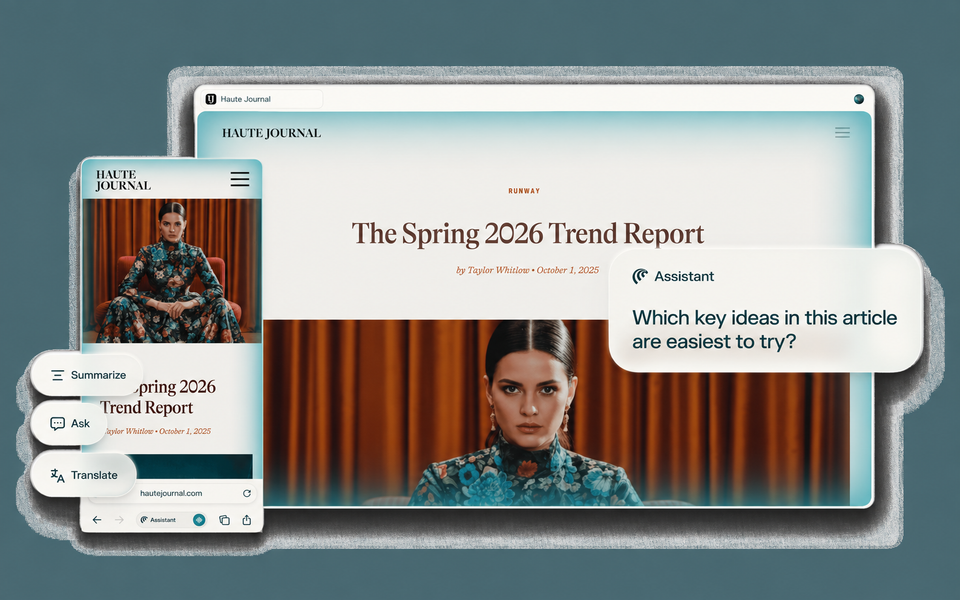
If your work regularly ends up spread across a browser full of research, documents and half-finished tasks, Comet may be useful to explore. It is a Chromium-based browser from Perplexity with an AI assistant that can work with the page you are viewing, selected tabs and, where authorised, connected services.
What it can help with
You can ask Comet to explain or summarise a page, extract information, compare material across specified tabs, find something from previous browsing or help turn research into a clearer set of notes or actions. It can also group and summarise open tabs and attempt browser-based tasks under supervision.
Inspiration Space note: Comet is most useful when your browser is already where the work is happening. For research-heavy work, it can help make the jump from “I have 17 tabs open” to “I understand the pattern, have the useful evidence and know what to do next”. Its value is less about replacing thought and more about reducing the friction between finding information, making sense of it and moving the work forward.
Who it may suit
It may suit consultants, researchers, founders and independent workers who spend substantial time moving between online sources and browser-based systems. It is more relevant if you are comfortable checking AI summaries and supervising actions than if you want the browser to decide which sources or conclusions are reliable for you.
How it works
Comet Assistant sits alongside the browser. It can use the current page as context, or you can direct it to another open tab using an @ reference. Comet also supports most Chrome extensions and can import data such as bookmarks, passwords, history and extensions from supported browsers.
If you enable Perplexity's Gmail and Google Calendar connector, Comet can query that information and can perform actions such as creating calendar events or sending emails. Connecting it requires explicit Google permissions.
Cost and access
Comet can be used for ordinary browsing and some basic AI functions without a Perplexity account. Signing in adds saved history and further AI capabilities, while paid Perplexity plans provide higher limits for Browser Agent use. Check the current plan comparison and download page for the capabilities available on your account and device.
What to check before committing
Before making Comet your main work browser, check that the extensions and browser data you rely on migrate successfully and that its AI limits fit your use.
Privacy deserves particular attention. Perplexity says browsing history, your full tab list, cookies, passwords, autofill data, local files and ordinary website input stay local by default. Relevant page, tab, history, email or calendar context may be sent when your request needs it, with some assistant context retained for up to 30 days. Review these settings before using confidential client or business information. Advanced agent actions require permission, but you should still check important research, communications, submissions and transactions yourself.
Next action
Try Comet with a real research task before moving your wider browser workflow across, and review its privacy settings and current AI limits first.
Download Comet